以前作った赤外線LEDとフォトトランジスターによるスピード計測はセンサー部が大きくて邪魔なのでホールICを使ったスピード計測を作ってみました。
ホールICを使うので、車両に磁石を付ける必要があります。
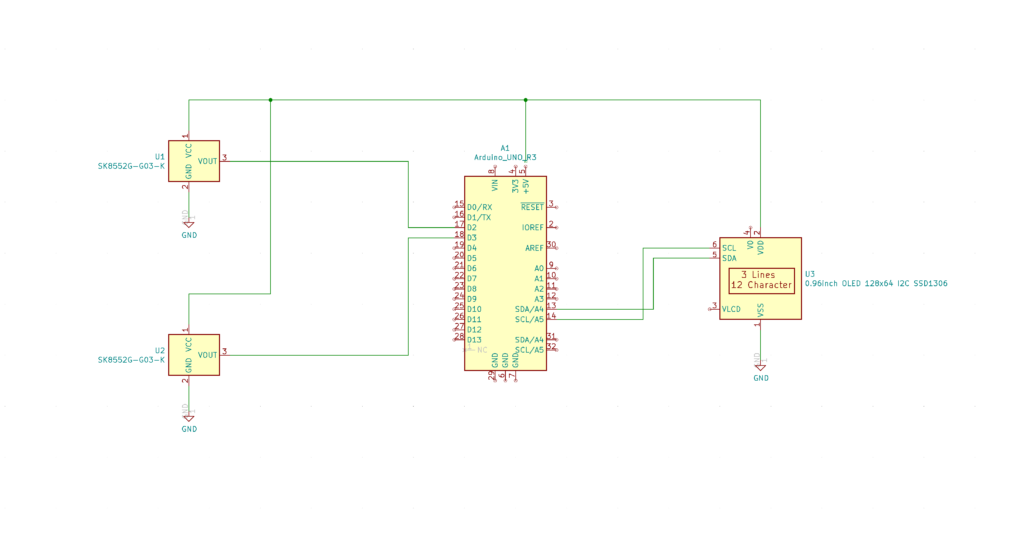
回路図は次のようになります。
赤外線LEDが無くなったので、さらにシンプルになってます。
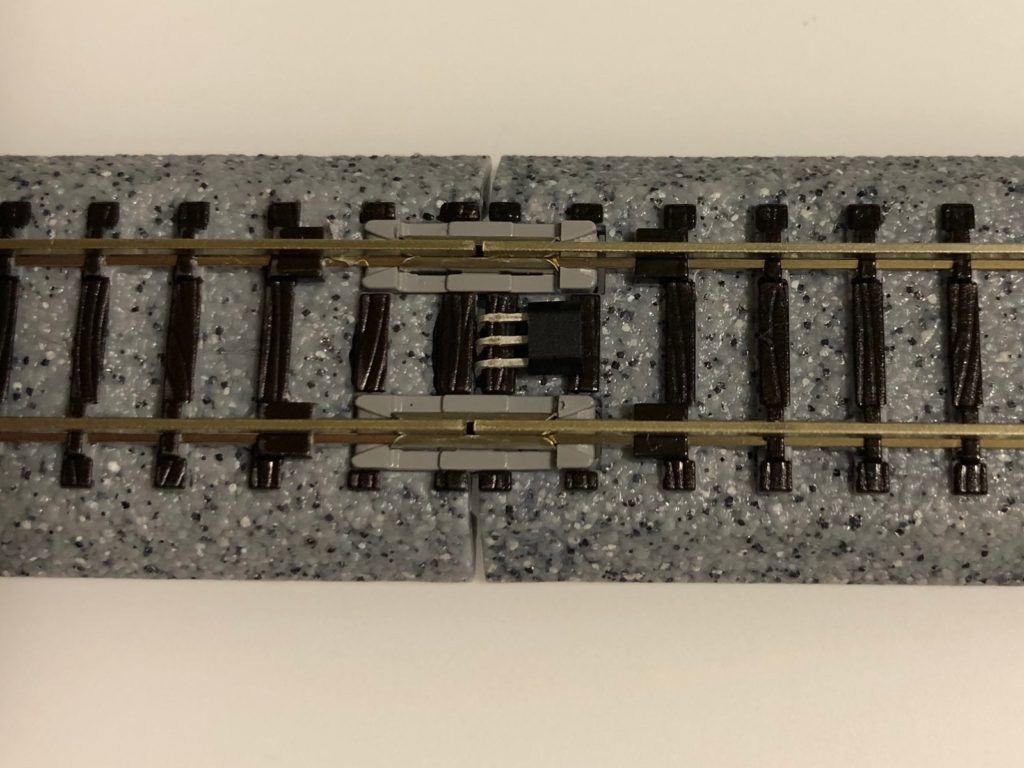
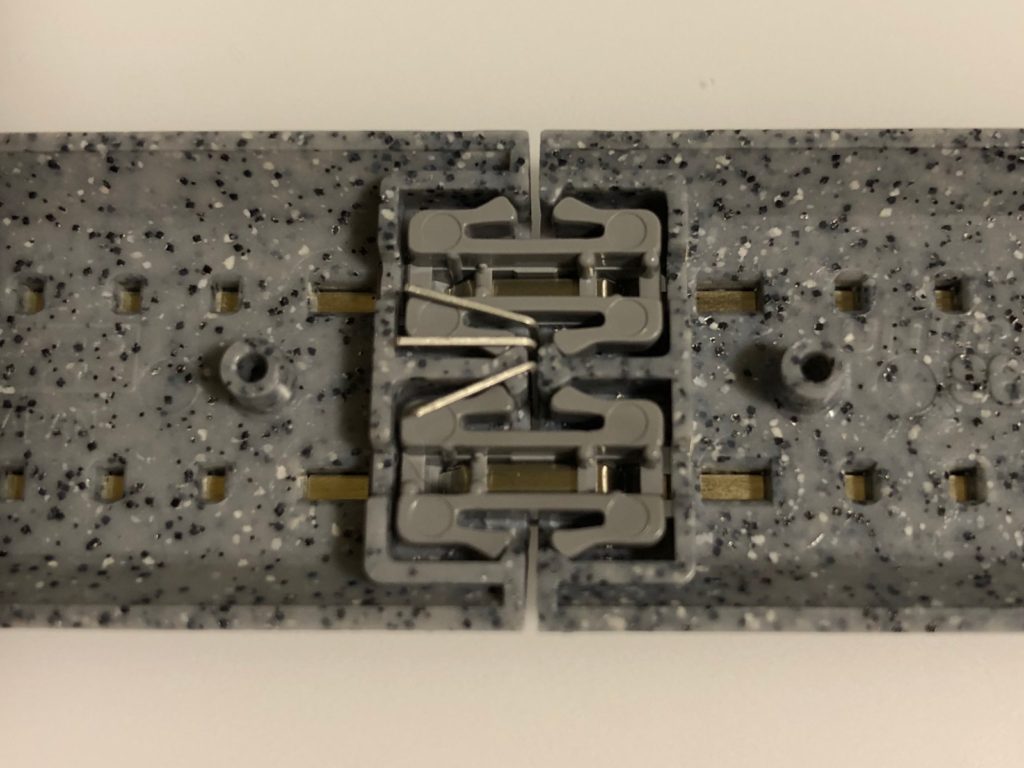
ホールIC(SK8552G-G03-K)は線路の継ぎ目に挟み込む事にします。
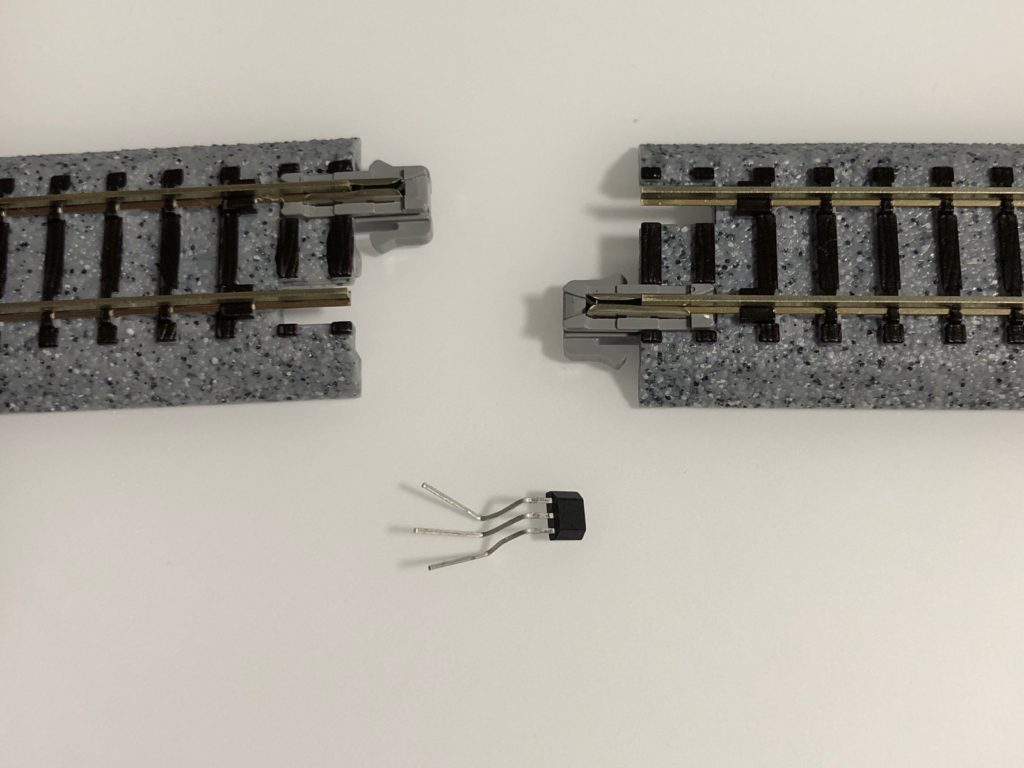
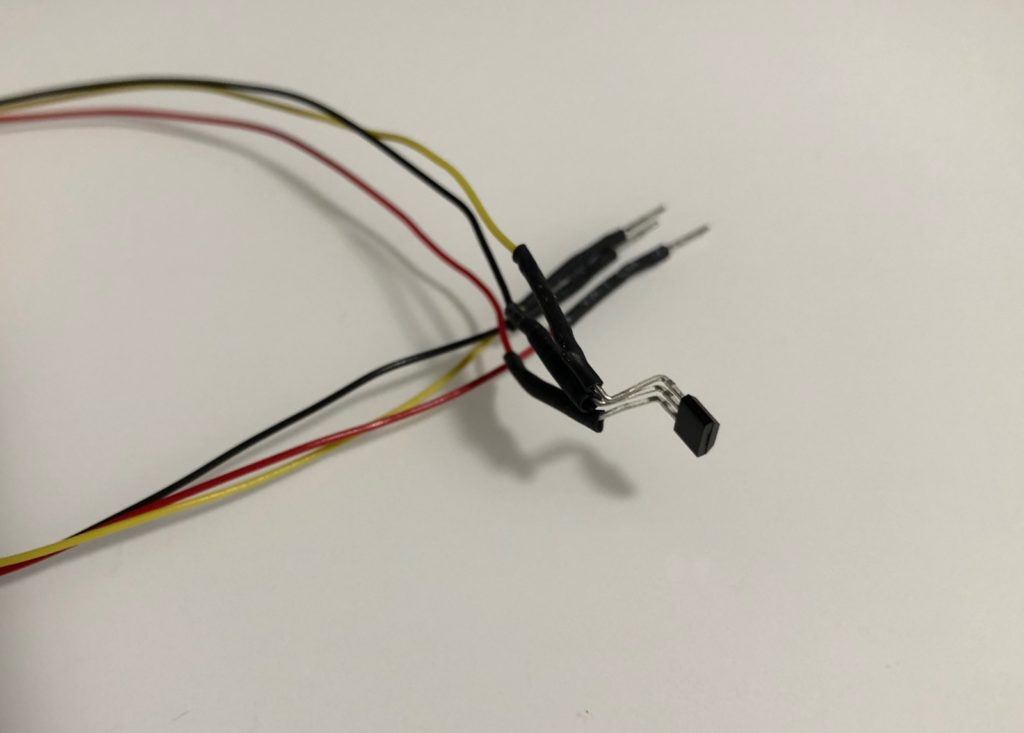
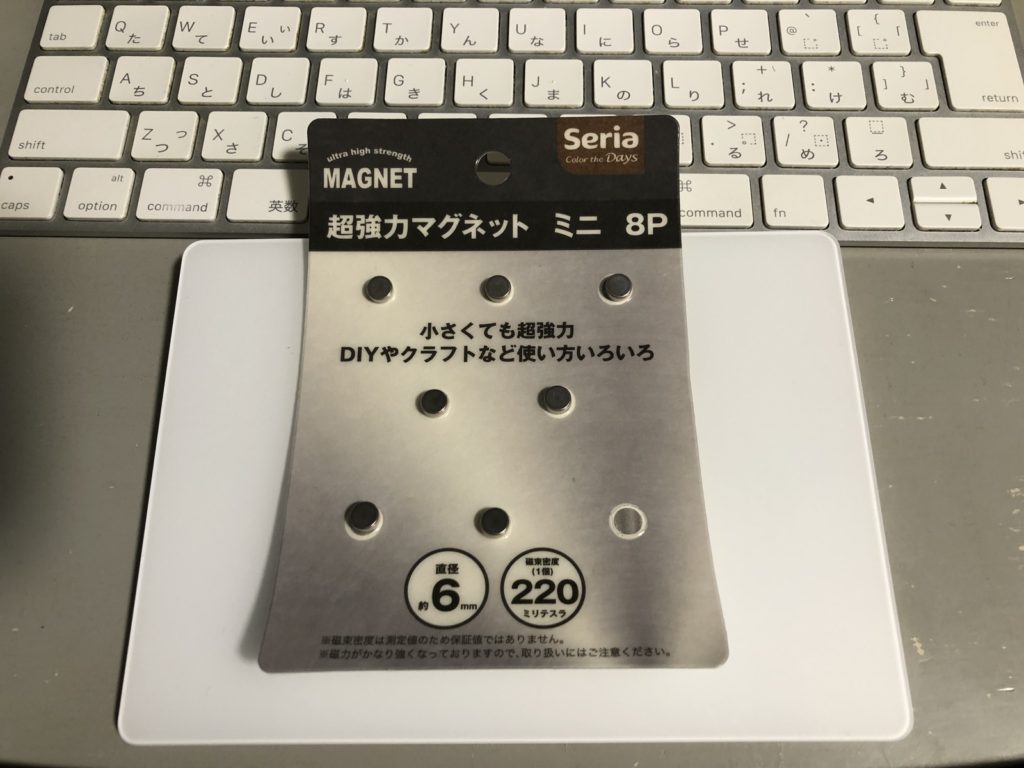
車両の下に付ける磁石はセリアで見つけた「超強力マグネット ミニ 8P」を使いました。
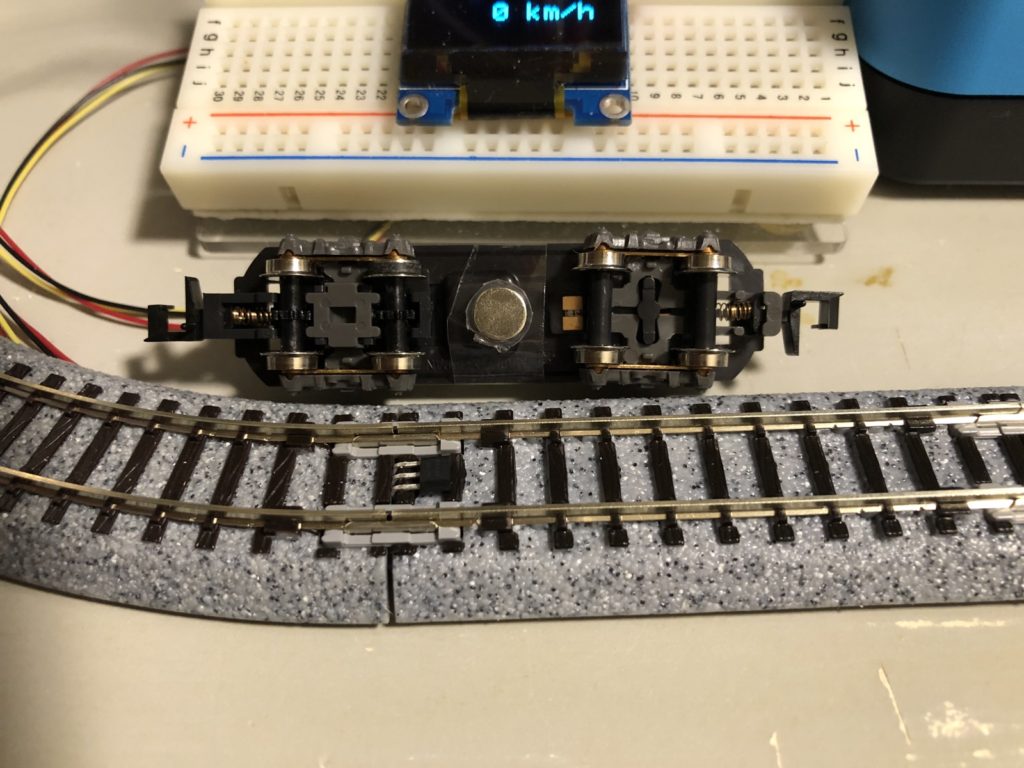
スケッチは次のようになります。
#include <SPI.h>
#include <Wire.h>
#include <Adafruit_GFX.h>
#include <Adafruit_SSD1306.h>

#define SCREEN_WIDTH 128 // OLED display width, in pixels
#define SCREEN_HEIGHT 64 // OLED display height, in pixels

// Declaration for an SSD1306 display connected to I2C (SDA, SCL pins)
#define OLED_RESET     4 // Reset pin # (or -1 if sharing Arduino reset pin)
Adafruit_SSD1306 display(SCREEN_WIDTH, SCREEN_HEIGHT, &Wire, OLED_RESET);

#define LOGO_HEIGHT   16
#define LOGO_WIDTH    16
static const unsigned char PROGMEM logo_off[] =
{ B00000000, B00000000,
  B00000000, B00000000,
  B00000000, B00000000,
  B00000000, B00000000,
  B00000000, B00000000,
  B11111111, B11111110,
  B00000001, B11111110,
  B00000001, B11111110,
  B00000001, B11111110,
  B00000001, B11111110,
  B00000001, B11111110,
  B00000001, B11111110,
  B00000001, B11111110,
  B00000000, B00000000,
  B00000000, B00000000,
  B00000000, B00000000 };

static const unsigned char PROGMEM logo_on[] =
{ B00000000, B00000000,
  B11111111, B00000000,
  B11111111, B00000000,
  B11111111, B00000000,
  B11111111, B00000000,
  B11111111, B00000000,
  B11111111, B00000000,
  B11111111, B00000000,
  B11111111, B00000000,
  B10000000, B00000000,
  B10000000, B00000000,
  B10000000, B00000000,
  B10000000, B00000000,
  B10000000, B00000000,
  B10000000, B00000000,
  B10000000, B00000000 };

#define FLAG_ON_VALUE (900)

int digitalPin1 = 2;
int digitalPin2 = 3;

int val1 = 0;
int val2 = 0;

unsigned char prev_flag1 = 0;
unsigned char curr_flag1 = 0;
unsigned char chng_flag1 = 0;
unsigned char prev_flag2 = 0;
unsigned char curr_flag2 = 0;
unsigned char chng_flag2 = 0;
unsigned char need_draw  = 0;

unsigned long time0 = 0;
unsigned long time1 = 0;
unsigned long time2 = 0;
float val_speed = 0.0;

void setup() {
  // put your setup code here, to run once:
  Serial.begin(9600);
  Serial.println("SSD1306 OLED 128x64 i2c");

  // SSD1306_SWITCHCAPVCC = generate display voltage from 3.3V internally
  if(!display.begin(SSD1306_SWITCHCAPVCC, 0x3C)) { // Address 0x3D for 128x64
    Serial.println(F("SSD1306 allocation failed"));
    for(;;); // Don't proceed, loop forever
  }

  // Show initial display buffer contents on the screen --
  // the library initializes this with an Adafruit splash screen.
  display.display();
  delay(2000); // Pause for 2 seconds

  // Clear the buffer
  display.clearDisplay();

  pinMode(digitalPin1, INPUT);
  pinMode(digitalPin2, INPUT);

  drawflags();
  delay(1000);
}

void drawbitmap_off(int x, int y) {
  display.drawBitmap(
    x, y,
    logo_off, LOGO_WIDTH, LOGO_HEIGHT, 1);
}

void drawbitmap_on(int x, int y) {
  display.drawBitmap(
    x, y,
    logo_on, LOGO_WIDTH, LOGO_HEIGHT, 1);
}

void drawflags() {
  int x, y;
  y = LOGO_HEIGHT / 2;
  //y = (display.height() - LOGO_HEIGHT) / 4;
  display.clearDisplay();

  x = display.width() / 4  - LOGO_WIDTH / 2;
  if (val1 == HIGH) {
    drawbitmap_on(x, y);    // Draw a small bitmap image
  } else {
    drawbitmap_off(x, y);    // Draw a small bitmap image
  }

  x = display.width() * 3 / 4  - LOGO_WIDTH / 2;
  if (val2 == HIGH) {
    drawbitmap_on(x, y);    // Draw a small bitmap image
  } else {
    drawbitmap_off(x, y);    // Draw a small bitmap image
  }

  display.setTextSize(2); // Draw 2X-scale text
  display.setTextColor(SSD1306_WHITE);
  display.setCursor(25, display.height() / 2);
  int speed_int = (int)(val_speed * 3.6 + 0.5);
  if (speed_int < 100) {
    display.print(F(" "));
  }
  if (speed_int < 10) {
    display.print(F(" "));
  }
  display.print(speed_int);
  display.print(F(" km/h"));

  display.display();
}

void loop() {
  // put your main code here, to run repeatedly:
  val1 = digitalRead(digitalPin1);
  val2 = digitalRead(digitalPin2);

  need_draw = 0;
  time0 = millis();
  if (time0 - time1 > 15000) {
    val_speed = 0;
    time1 = time2 = time0;
    need_draw = 1;
  }
  if (time0 - time2 > 15000) {
    val_speed = 0;
    time1 = time2 = time0;
    need_draw = 1;
  }
  if (val1 == HIGH) {
    curr_flag1 = 1;
  } else {
    curr_flag1 = 0;
  }
  if (prev_flag1 != curr_flag1) {
    chng_flag1 = 1;
    if (curr_flag1 > 0) {
      time1 = millis();
    }
  } else {
    chng_flag1 = 0;
  }

  if (val2 == HIGH) {
    curr_flag2 = 1;
  } else {
    curr_flag2 = 0;
  }
  if (prev_flag2 != curr_flag2) {
    chng_flag2 = 1;
    if (curr_flag2 > 0) {
      time2 = millis();
      if (time2 > time1) {
        float delta_t = time2 - time1;
        val_speed = 150.0 * 124.0 / delta_t;
      }
    }
  } else {
    chng_flag2 = 0;
  }

  if (chng_flag1 + chng_flag2 + need_draw > 0) {
    drawflags();
  }
  delay(10);
  prev_flag1 = curr_flag1;
  prev_flag2 = curr_flag2;
}